Moving off INSZoom, or between Docketwise, Clio and MyCase? We move every matter, document and ledger across, and set the new platform up to actually run immigration.
From the team that moves and syncs this data across these platforms every day.
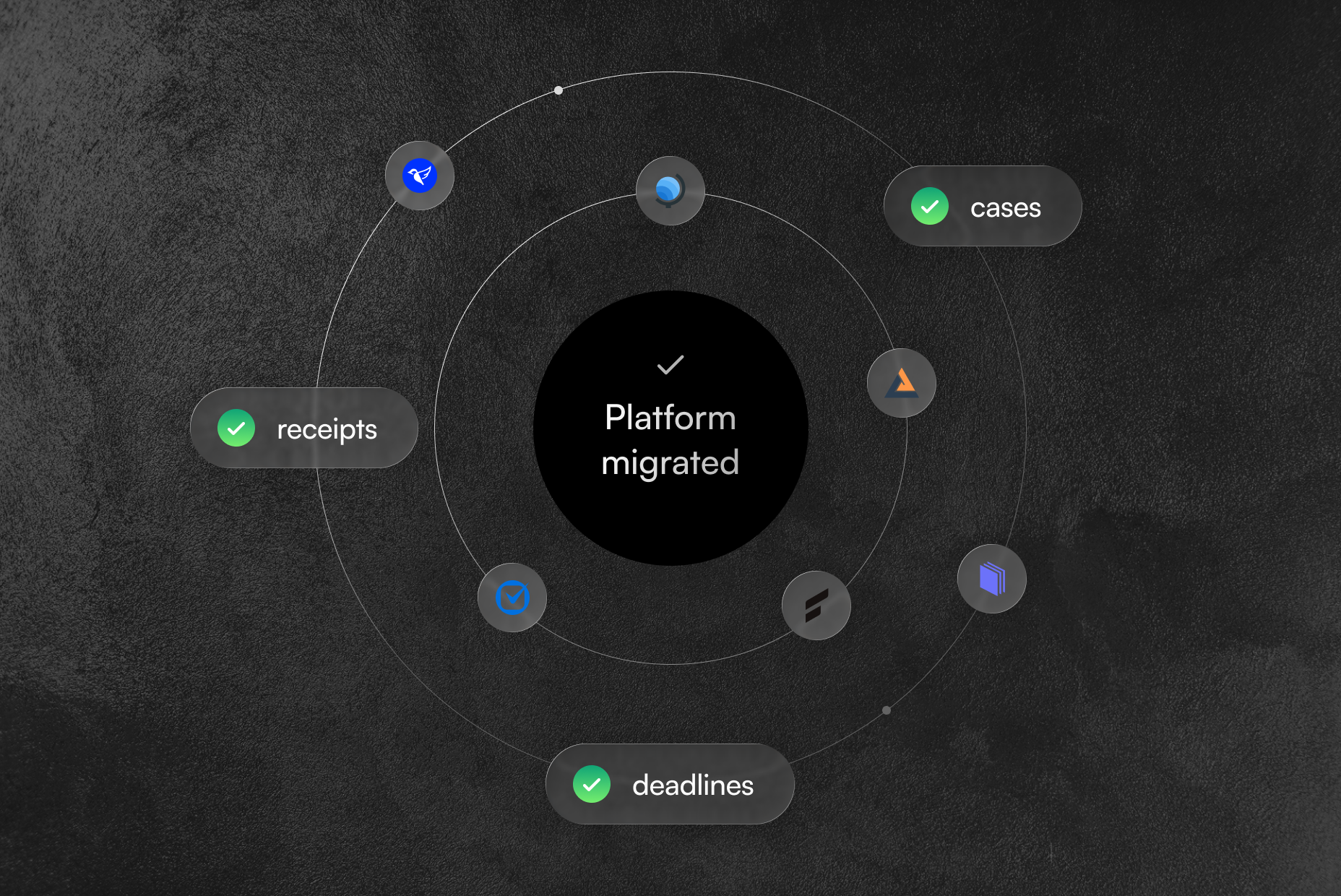
Almost every move comes down to one of three things.
Rising prices, a dated interface, or a general tool where immigration was never native and every form fights you.
A caseload grown too big for your initial setup to handle, or a lean firm paying for far more than it now uses.
A merger or acquisition brings in new systems, and your whole caseload has to move across onto them.
A migration is two jobs, and the second is the hard one.
Cleanly and in full, which is harder than it sounds when the platform you are leaving controls the export.
On the new platform, so receipt numbers still trigger status checks, deadlines still fire, and every document still sits on the right case. This is the job that protects your practice, and it is where we spend our time.
These are the failure points we look for on every immigration migration. Most of the worry around switching lives right here, so it is worth seeing plainly.
Some platforms keep the export tool switched off until you request it, and a standard export often leaves your documents behind.
We run the export end too, documents included, and we know each platform's quirks, so nothing gets stranded on the way out.
Files are tied to cases and beneficiaries by hidden IDs. Drop one in transit and a 200-page evidence packet becomes an orphaned file.
We map those links deliberately and spot-check packets after import, so every document lands where it belongs.
On some platforms a custom field with a slash or colon in it will not import, and immigration records are full of them.
We test every custom field before cutover, so nothing disappears without you knowing.
Receipt numbers and priority dates can land as plain data and stop triggering status checks and reminders. The calendar looks full while nothing warns you.
We rebuild the deadline and priority-date rules and confirm the alerts go off before you rely on them.
Invoices, balances and trust or IOLTA figures can arrive without matching your older ledger.
We reconcile every figure against your old system before you rely on it.
We are already in this data every day. We connect to and sync data across Docketwise, MyCase, Clio and Filevine for around 30 immigration firms, and we have built custom two-way integrations between these platforms. Moving your data cleanly is the same work, done daily.
We move all of it, off whatever you're on today.
Cases, matters and case status
Documents and full evidence packets
USCIS receipt numbers and priority dates
Deadlines, events and calendars
Client contacts and communications
Time, billing and trust ledgers
Custom fields and templates
Closed and historical cases










Moving the records is the easy part. Preserving how they connect, which document belongs to which beneficiary, which deadline belongs to which case, is the work. That is the difference between a clean move and a mess.
A free audit first, then a fixed plan you approve before anything moves.
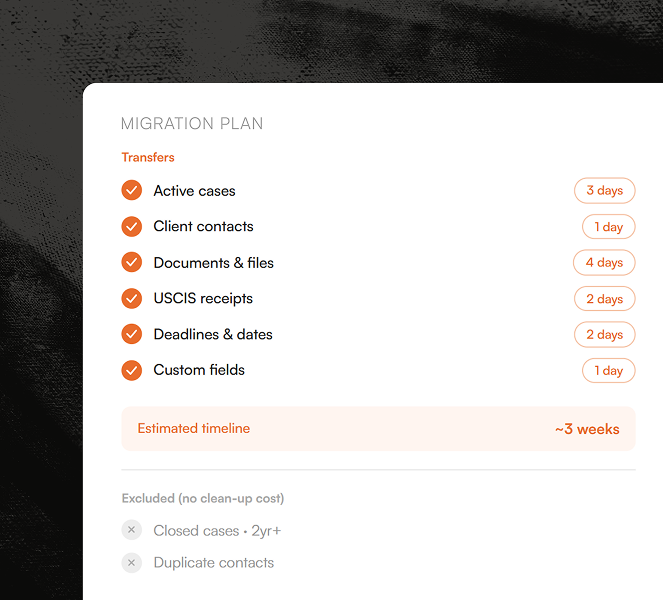
Before anything moves, we map your current setup: what data you have, how it is structured, what is worth keeping. You get a written plan with exactly what transfers, what will not, the real timeline, and a cleanup list, so you are not paying to move closed cases and duplicate contacts into a fresh system.
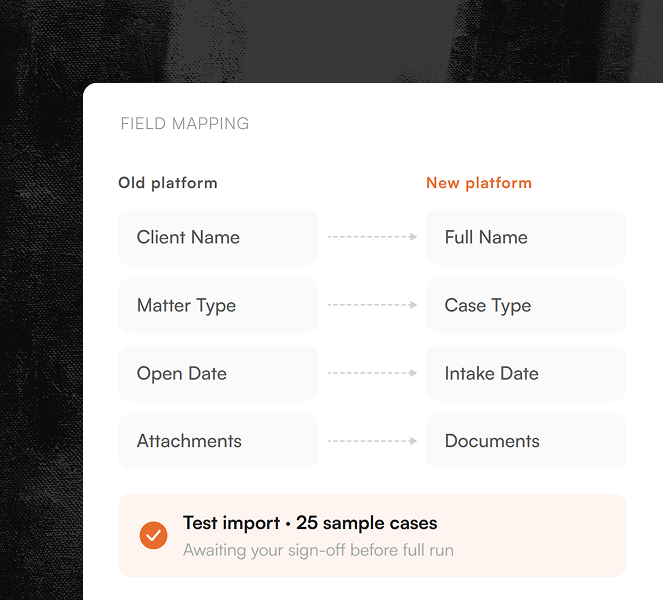
We pull your data out, including the documents a standard export tends to miss, and map every field to its right home on the new platform. Then we run a test import with a sample of your real cases. You inspect it and sign off before we touch the rest.
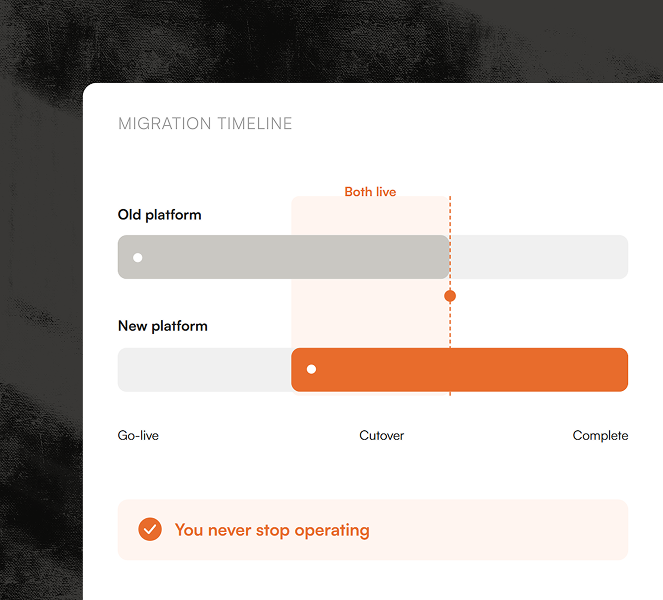
Your old and new systems run side by side until the new one is proven, so you never stop operating. When you are ready, we cut over and set the new platform up to run immigration: intake, USCIS forms, receipt and deadline tracking, and your team's workflows.
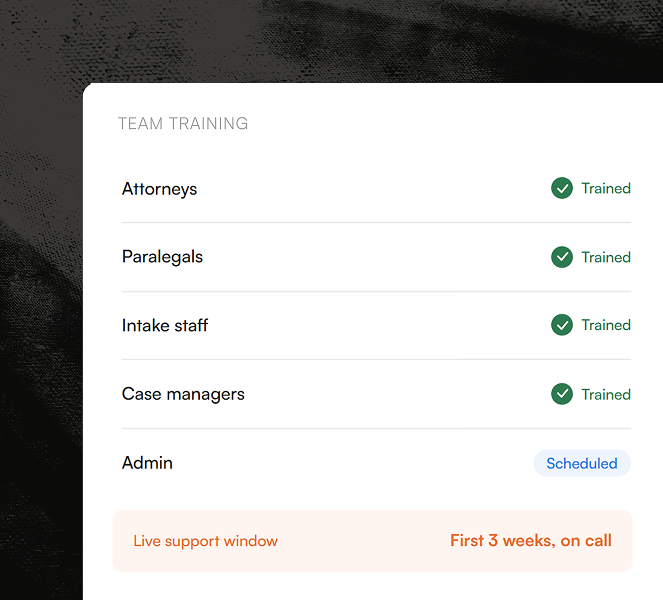
We train your team around how they already work, not a generic feature tour, and stay on through the first weeks while real cases flow.
Migrations that aren't scoped upfront stretch for months. We move most immigration firms in about two weeks; large or messy data takes longer, and you get the real number in the audit
You are hands-on at two moments: approving the test import, and giving the go-ahead to cut over. We handle the export, mapping, rebuild and configuration in between.
Timing quietly decides how smooth a move is. A few things worth knowing before you pick a date.
| Move when | Hold off if |
|---|---|
|
Your renewal is a few months out, so you give notice on your terms. |
Your contract is about to auto-renew and you cannot give notice in time. |
|
You are in a slower stretch, not a filing crunch. |
You are in H-1B cap season or a heavy visa-bulletin month. |
|
You have cleared out closed cases first, so you are not moving clutter. |
You are mid-filing on major cases. |
And if your current platform actually works, we will tell you to stay. We only move firms that gain from moving.
It will import a data file and stop at the database. It will not rebuild your immigration setup, it is not neutral about where you land, and it does not know the system you are leaving, which is where most of the trouble starts. Your current vendor has no reason to make leaving easy, and your new one has no reason to learn its quirks. That is the gap we cover for you.
A move touches your most sensitive records, asylum claims, passports, A-numbers. Here is how they are protected.
We work inside your own accounts. You grant access, and you revoke it the moment we are done.
We move your data between your systems, we do not hold it in ours.
Every engagement and every team member is under NDA.
No data goes live in the new system until you have inspected the test import and given written approval.
Tell us where you're moving from and to.
We'll map the rest.
Straight answers about what we do, how long it takes, and what it costs.
It depends on caseload size, document volume, and the condition of your data, which is exactly what the free audit measures. Most firms with comparable caseloads land between $2,000 and $3,000. You receive a fixed, written quote in the audit before anything moves. The quote covers the agreed scope, so there are no hourly surprises; if the scope changes, we price that change before doing the work.
Most migrations require no downtime. Your old system stays live while we export, map and test the new one, and the two run in parallel until you approve the cutover. We flag any exceptions in your audit before you commit.
For most immigration-only firms, Docketwise, it's immigration-native and the nearest fit to INSZoom. Choose Clio if you run other practice areas and want one system across all of them. We lay out the full trade-offs on our platform comparison, and the audit confirms which suits your setup.
You grant the minimum access needed inside your accounts, using named credentials where platforms support them. You control that access and revoke it the moment we're done.
We reconcile source and destination counts, spot-check evidence packets against their matters, test custom fields in the agreed scope, and confirm deadline rules and alerts before cutover. You then inspect a test import using your real cases before the full migration proceeds.
In most cases, yes. The audit maps exactly what your account's exports and permissions allow, what we can pull directly, and what needs an alternative route. Restricted exports are the most common reason firms call us, not a reason we can't help.
Usually you shouldn't wait. Start the audit now, plan around your notice date, and time the cutover to your renewal so you leave on your terms. The audit commits you to nothing on the new platform.
Most move to an immigration-native platform. Docketwise is the most common landing spot, it's the closest match to how INSZoom works day to day. Firms that also run other practice areas tend to go to Clio, and smaller firms watching cost look at CampLegal. The audit points you to the one that fits your caseload.
All product names, logos, and brands are the property of their respective owners. Their use is for identification and comparison purposes only and does not imply affiliation, endorsement, or sponsorship.
Get our recommendation above, or book a free audit and we'll tell you straight, even if the answer is to stay where you are.
We respond within one business day
 Immigration AI Agent
